How it's organized
Names you see on screen and what they mean. No extra jargon.
Account
A company (or a brand) in DALIA. Contacts, conversations and settings are kept separate from other accounts. If you have access to more than one, the account name appears above the menu; switching accounts reloads the page.
Inbox
A line where messages come in: a WhatsApp number, Instagram, Messenger or the site chat. You can have several. In the menu, Inbox opens on All (if there is more than one) and each line is listed by name below it.
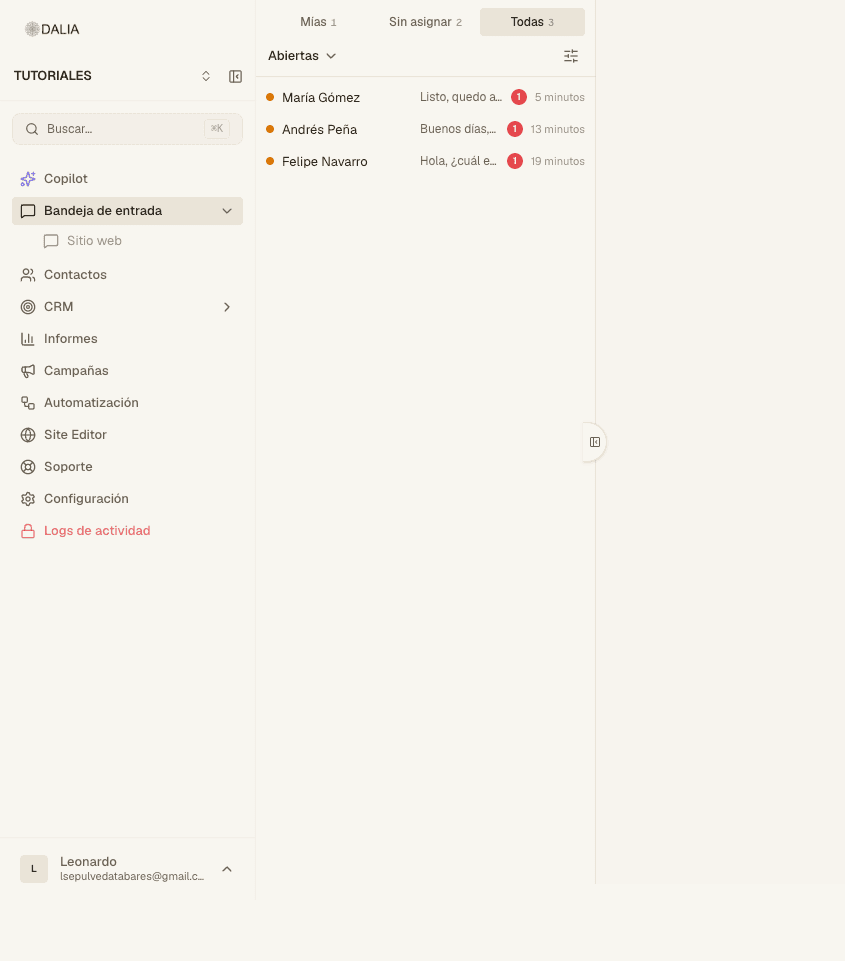
Conversation
The thread with a person in an inbox. It has an owner (an advisor, nobody, or the AI agent) and a status:
- Open — it needs attention or you are already handling it.
- Resolved — it was closed. It stays in the history.
- Pending — waiting for something (a detail, an internal reply).
- Snoozed — hidden until a set time.
Contact
The person. A phone number or a channel identifier. The same contact can have several conversations. It stores the name, email, labels and the fields you defined (city, budget, project).
Lead and opportunity
If the account has CRM: the lead is the prospect you are still qualifying. The opportunity is the deal in progress (proposal, negotiation, won or lost). A chat can generate a lead; a qualified lead becomes an opportunity.
Label
A short tag (VIP, Meta, modo_manual). You add it to the contact or the conversation. It's used for filtering, for campaigns, and to make the AI agent stop replying when the label is on its exclusion list.
WhatsApp template
A message Meta has already approved. You need it to write to someone who hasn't replied to you in the last 24 hours, and for campaigns. It isn't the same as a canned response (/), which only works inside an open window.
Reports
Reports menu. Numbers for the period (conversations, times, revenue, attribution). It isn't the day's queue: that stays in the inbox. Plan usage (AI limit, Copilot) is in Settings → Usage.
AI agent and Copilot
The AI agent talks to customers in the inbox, with the instructions and documents loaded for it. Copilot talks to you: metrics, searches, campaigns. They aren't the same screen.
Who can see what
- Agent — the inboxes and contacts assigned to them. CRM, campaigns or settings only if they were given that permission.
- Administrator — team, campaigns, automations, settings. Not necessarily billing.
- Owner — everything, including billing.
Module
An optional piece: properties, packages, store, voice, site editor, Salesforce. Whoever administers DALIA turns it on. List: Modules.
That's all you need to get started. Continue in the inbox.