Copilot
Internal chat for the people who run the account. It doesn't message customers. Menu: Copilot. It only appears if the module is active and it's turned on for your user.
It isn't the AI agent that replies on WhatsApp. That one is configured in each inbox; see AI agent.
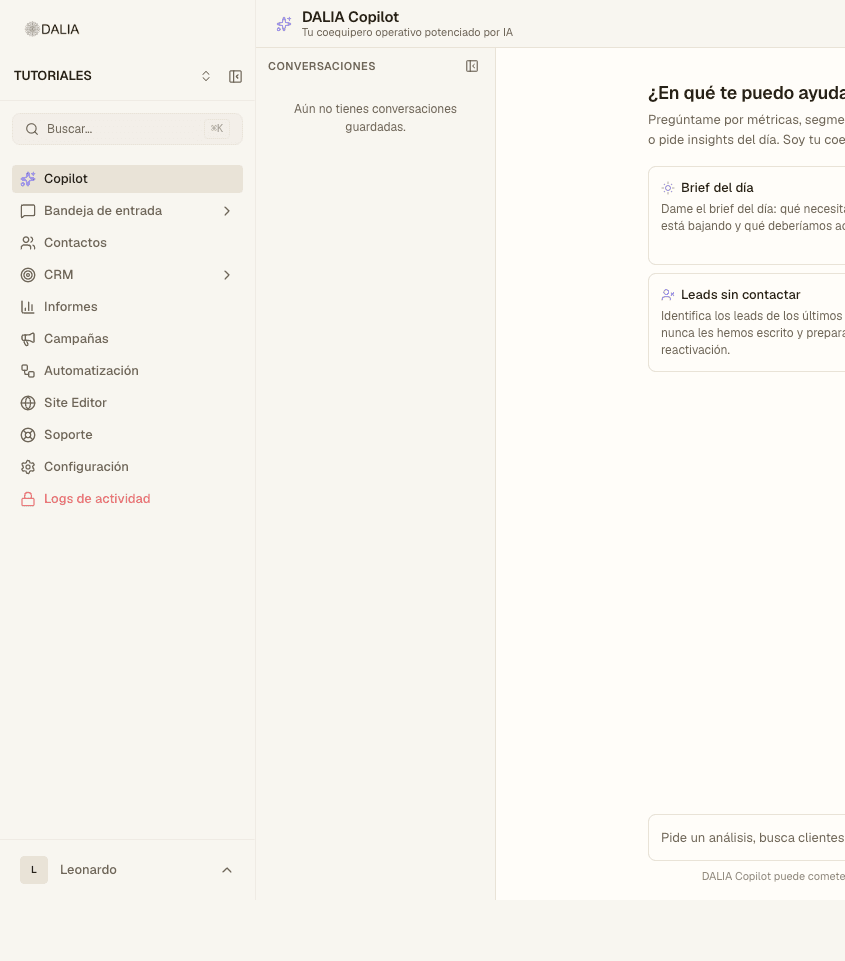
When you open it
The title is DALIA Copilot. On the left, the list of threads ("Conversations"). If there are none: "You don't have any saved conversations yet."
In the center, the question "How can I help you today?" and cards to get started without typing:
- Daily brief — what needs attention.
- What's getting stuck? — open chats with no assignee.
- Uncontacted leads — people nobody has written to.
- Launch campaign — drafts one; you confirm the send.
At the bottom, the box: "Ask for an analysis, find customers, assign conversations or launch a campaign…" and the Send button. At the top: New conversation and, if your role allows it, Audit.
What to ask it
- Count contacts, chats or leads for a period ("this week").
- Find someone by name, phone or what they wrote.
- List rules, agents or the CRM pipeline.
- Draft a campaign (check Campaigns before sending it).
- If you have a store: real orders and customers, not made-up ones.
Metrics can be shown as a chart. Include the period in the same request.
How to configure it
- Settings → Copilot (Artificial intelligence block).
- If there is no model: "Copilot not configured" → Configure the model integrations (Settings → the model / LLM card).
- Business context: what you sell, in which city, what it must not do.
- Enabled tools: switches per group. If you turn off WhatsApp sending, it can look things up but won't send anything.
- Save.
In your profile, the Copilot switch must be on. Each plan has a monthly limit; when it runs out, Copilot tells you.