WhatsApp templates
A message that Meta has already reviewed and approved. In DALIA you use them for three things: reopening a chat when 24 hours have passed without a reply from the customer, sending a campaign, or triggering a flow that starts the conversation. They're not the canned responses in the message box (/hello): those don't go through Meta.
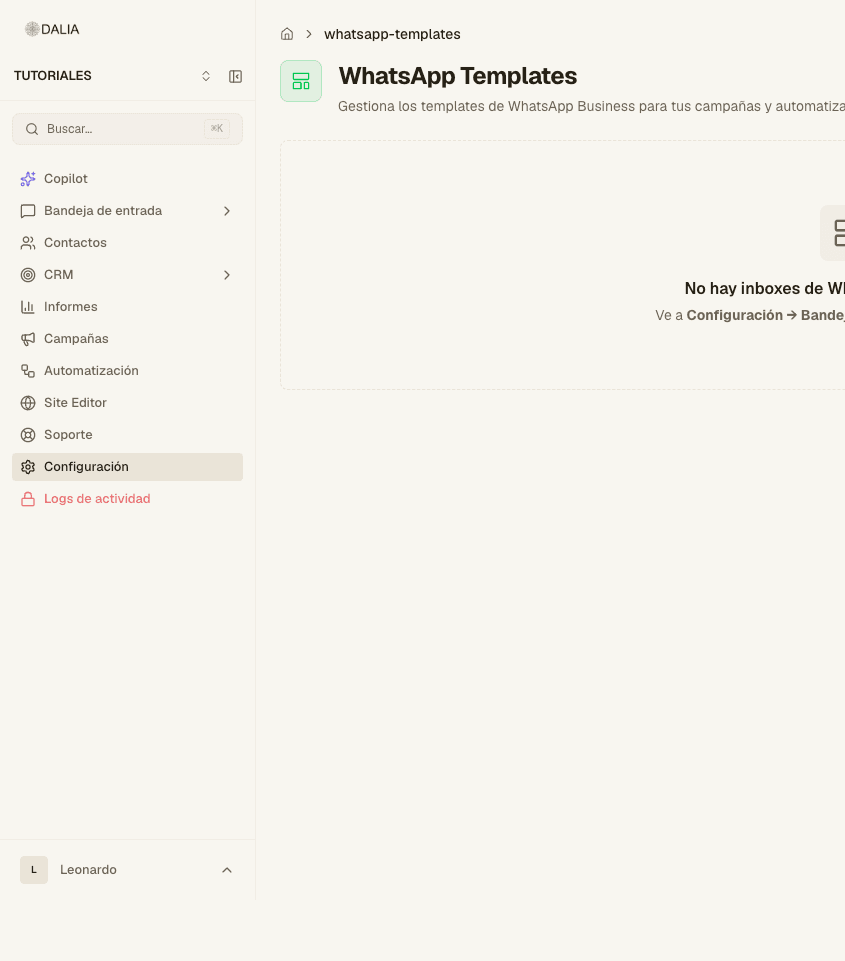
They're managed in Settings → WhatsApp templates. The screen is titled WhatsApp templates.
What a template is
Meta doesn't let a business write free text to someone who hasn't replied in the last 24 hours. The official route is a fixed template: a body and, if you want, a header, footer and buttons. You fill in the blanks ({{1}}, {{2}}) when sending; the rest of the text stays exactly as Meta approved it.
This applies to the WhatsApp Business API, which is what DALIA uses when you connect a number. The free WhatsApp Business app on the phone doesn't have this system: there you write by hand and bulk sending is limited. If your line lives in DALIA, templates are the way to go.
When you need one and when you don't
You need one if you (or a campaign, or a flow, or the AI agent) want to write first, or if the customer hasn't sent anything in 24 hours. The chat box won't do: the template icon appears.
You don't need one while the window is open. There you reply in text, attach files, use / or leave a private note. Meta treats that as service within a conversation the customer already started.
A campaign or a flow that starts the thread always needs an approved template from that inbox. If there's none, the message isn't sent.
Consent
Meta requires that the person has agreed to receive messages from the business. DALIA doesn't invent that consent: you're accountable for how you obtained it (a form, a previous chat, an ad). When the rule is active, campaigns filter out anyone who has never chatted with you. Don't try to get around it by hand: Meta applies rejections and blocks to the number, not on a DALIA screen.
The three categories
When creating a template, the Category field has three values. Choose the one that describes the purpose, not the cheapest one: Meta can recategorize the template if the text doesn't match.
- Marketing — the business starts the conversation to promote: a fair, a discount, a launch, "we miss you". It's the one that takes longest or gets rejected most. Avoid vague promises, all caps and a string of links.
- Utility — a fact about that person's process: appointment confirmed, visit rescheduled, document ready, order status. The text has to talk about something that already exists, not a new offer.
- Authentication — a code or an access notice. Keep it plain. Don't use it to sell.
If Meta changes the category later, the reason comes from them. In DALIA you only see the status (Approved, Rejected, etc.).
Parts of the message
In New template the form follows this order. On the right, Preview shows the bubble as it looks in WhatsApp.
- Name — lowercase letters, numbers and underscores only. The box shows
bienvenida_colombiaas an example. It isn't the text the customer sees; it's the internal identifier. - Language — the template's language. The same idea in another language is another template.
- Header (optional): No header, Text (maximum 60 characters), Image, Video or Document.
- Body — required, up to 1024 characters. + Variable inserts
{{1}}, then{{2}}. The box placeholder: "Hi {{1}}, your process is ready." - Footer (optional, 60 characters) — a line at the bottom, for example the project name or "Reply STOP to stop receiving messages".
- Buttons — up to 10. Types: Quick reply (the customer taps it and you receive the text), URL (can include
{{1}}in the link) and Phone. Button text: 25 characters max.
Creating one in DALIA
- Settings → WhatsApp templates. Requires owner, admin or the templates permission.
- Choose the inbox. Templates are per number: the ones from Sales don't appear on another line.
- Create template → From scratch or Based on existing (the latter isn't available if the line is on Twilio).
- Fill in name, category, language, body and, if you want, header, footer and buttons. Check the preview.
- Create template. The button changes to "Sending to Meta…". It shows as Pending. The notice: the name "is pending approval by Meta."
The review is usually automatic and takes minutes; sometimes hours or a day. Marketing is the slowest. If it's rejected, the reason is Meta's: fix the text and create another one (the name can't be reused as-is if it already exists).
Syncing the ones you already have in Meta
If you created them in WhatsApp Manager, don't retype them. In the list, Sync / "Sync from Meta" (or "Sync from Twilio" if that's the line) brings in name, language, category and status. After that you can use them in the chat, in campaigns and in flows.
Statuses in the table
- Approved — it can be used.
- Pending — not yet.
- Rejected — it isn't sent. Change the text and submit a new one.
- Paused or Disabled — Meta or the number's quality stopped it. Check the WABA status.
- Deleting — it's being deleted.
When editing one that's already approved, DALIA only lets you change text (body, text header, footer, buttons). A header image or video can't be changed from here: Meta rejects the submission if the original file is lost.
Examples that usually get through
Made up for this guide. Copy the idea, not another brand's tone. Change the internal name.
Utility — visit reminder
Name: recordatorio_visita. Category: Utility. Body:
Hi {{1}}, this is a reminder of your visit on {{2}} at {{3}}.
If you need to change it, reply to this message.
Quick reply button: "Confirm". Another: "Reschedule".
Utility — document or status
Name: documento_listo. Body:
{{1}}, your {{2}} is ready. You can review it
with the link we sent you or by writing to us here.
Marketing — invitation to a fair
Name: feria_octubre. Category: Marketing. Image header (the fair render). Body:
{{1}}, this Saturday we'll be at {{2}}.
Come by to get your questions answered and book a visit.
Should we sign you up?
URL button to the landing page. A reply button: "I want to go". Give a specific date and place; "incredible deals" tends to get rejected.
Authentication — code
Name: codigo_acceso. Short body, one variable for the code, no promotion. Don't mix a discount into this category.
How they are sent from DALIA
In the chat. Window closed → template icon → choose an Approved one from that inbox → fill in the variables → send. See Inbox.
In a campaign. Step 2 (Message): "Select template…". The "Sync from WhatsApp" icon brings in the ones Meta already has. Variables are filled in there; an empty variable shows up blank on the phone. See Campaigns.
In a flow. Send WhatsApp template node. If it starts a conversation and the template isn't Approved, the log shows the failure. See Automations.
What usually gets a template rejected by Meta
- A mislabeled category: marketing disguised as utility.
- Generic text ("take advantage now", "last chance") with no concrete fact.
- ALL CAPS, lots of punctuation or several links.
- An internal name with spaces or capitals (DALIA fixes it as you type; don't fight it).
- Asking for sensitive data in the body (passwords, cards).
- Writing to someone who didn't give you permission or to a number that blocked you.
Number quality
Meta looks at how many people block, report or don't read. A low-quality number gets its quota of new conversations cut or its templates paused. In DALIA you notice it because sends start failing or the status changes to Paused. The fix is less aggressive marketing, cleaner lists and more utility (appointments, statuses) than promotion.
The initial quota of new conversations is low and Meta raises it if quality holds up. It isn't a DALIA setting.