AI agent
It replies in an inbox using the instructions and documents you uploaded. It's turned on per inbox, not created as another user. It isn't Copilot.
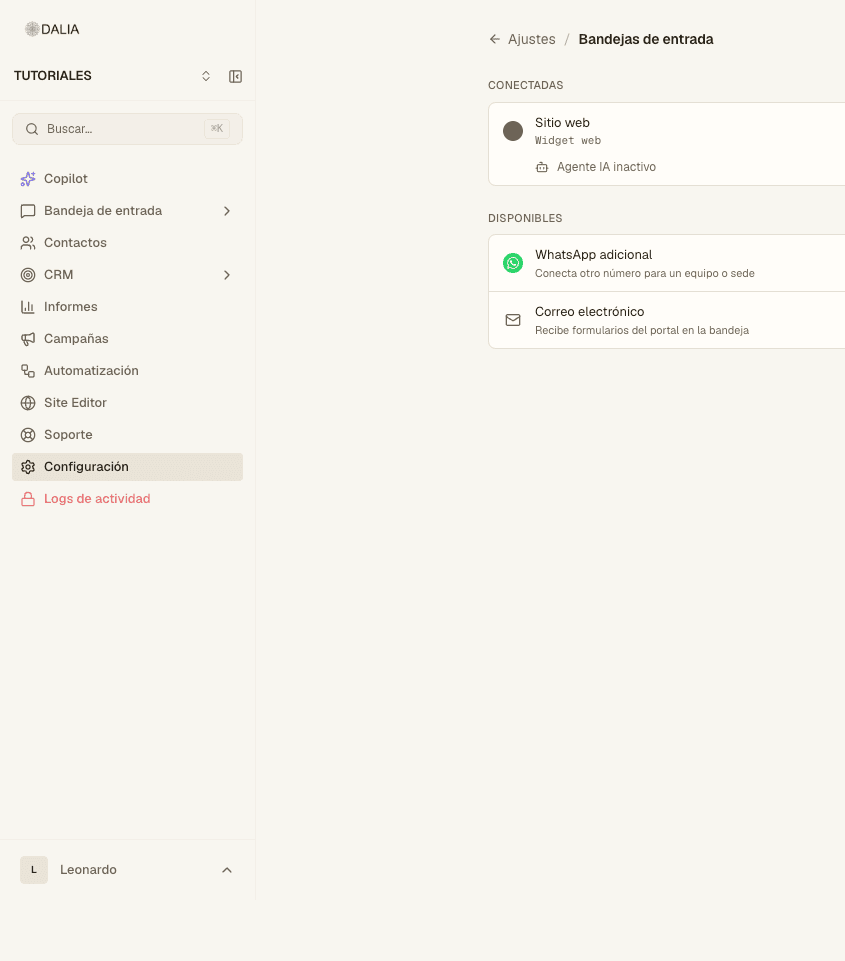
Turn it on
- Settings → Inboxes → Configure on the row that should reply on its own.
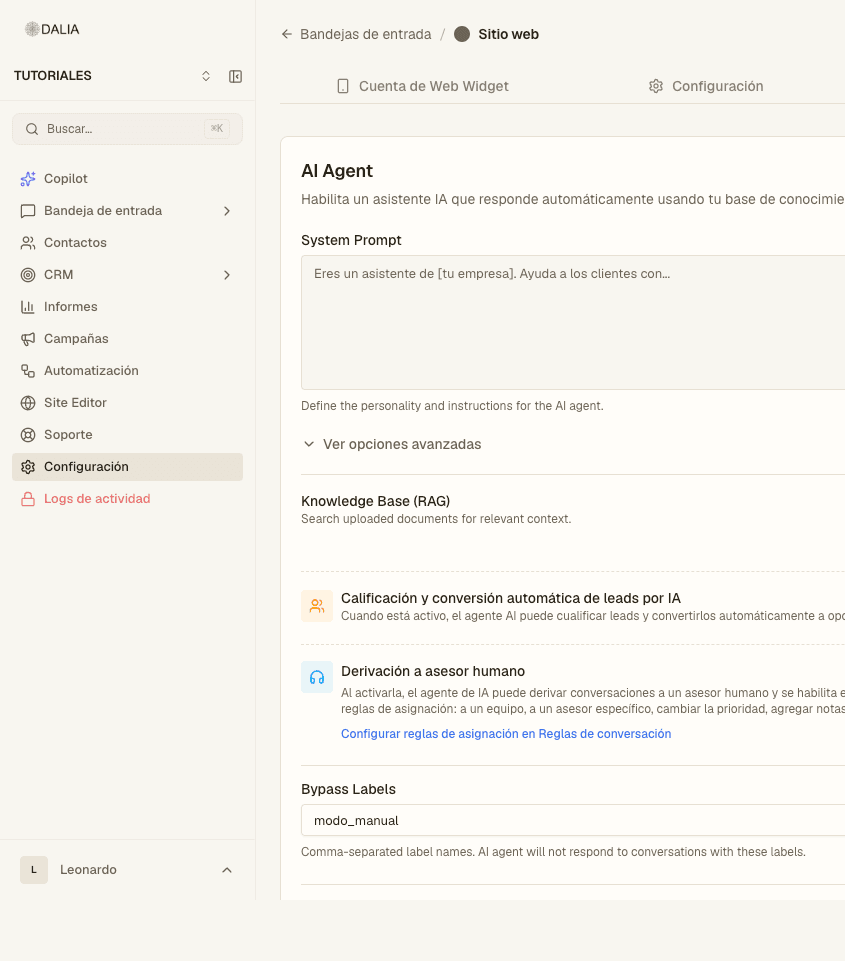
- AI agent tab. The switch at the top is the master switch: when it's off, the AI agent doesn't reply. The text reads: "Enable an AI agent that replies automatically using your knowledge base."
- System prompt: write it the way you would brief a new advisor. Who it is, what it can promise, when to hand the chat to a person. The box says: "You are an assistant for [your company]. Help customers with…" Useful variables:
{{contact_name}},{{current_date}}. - Show advanced options if needed: Temperature (low, around 0.3, if it should stick to the document), Memory window (previous messages), Max response tokens. If RAG is on: Top K and Similarity threshold.
- Knowledge base (RAG) and the collections it can query. See Knowledge base.
- Turn on only the modules your account has (see the next section).
- Save AI config. If you don't save, your changes are lost when you leave.
- Test in Settings → AI agent playground (or the link from the widget setup), not with a customer.
AI agent modules
They only appear if the account has them. Each one is a switch:
- Product catalog / E-commerce store — search, cart, orders. If there are several stores, you choose which one.
- Property catalog (DALIA CRM).
- Tour packages catalog.
- Google Calendar — appointment calendar and duration. See Calendar.
- Test drive tool and Quotes tool.
- Audio transcription — for incoming voice notes.
- Automatic AI lead qualification and conversion — it qualifies leads and can convert them to an opportunity. Update the prompt if you turn it on.
- Handoff to a human advisor — the AI agent can ask for a human. That triggers the "Advisor handoff requested" event in Conversation rules. The link on the screen opens those rules.
Each module is described in detail in Modules.
When it shouldn't reply
Bypass labels: label names separated by commas. The example in the box: modo_manual, vip. If the chat or the contact has one of them, the AI agent doesn't reply. Useful when an advisor has taken over the case. The chat header shows whether the AI agent is still on: don't both reply at the same time.
Logs and playground
Settings → AI agent logs: tokens, tools and whether the turn was skipped (there was already another run, the AI agent is off, or the contact is excluded).
Settings → AI agent playground: test without sending a real message to a customer.