Inbox
This is where messages arrive. Path: Inbox menu or a specific line below it (WhatsApp, Instagram, etc.).
The three columns
Left — list. Each row is a chat: name, last message, time and a colored dot by channel (WhatsApp green, etc.). You can collapse it to avatars only.
Center — the thread. At the top: name, whether the AI agent is active, and the status button (Resolve, Reopen, Snooze). At the bottom: the box to type in.
Right — details of that conversation. On a phone it opens with View details.
If nothing is selected, the center reads "Select a conversation to get started."
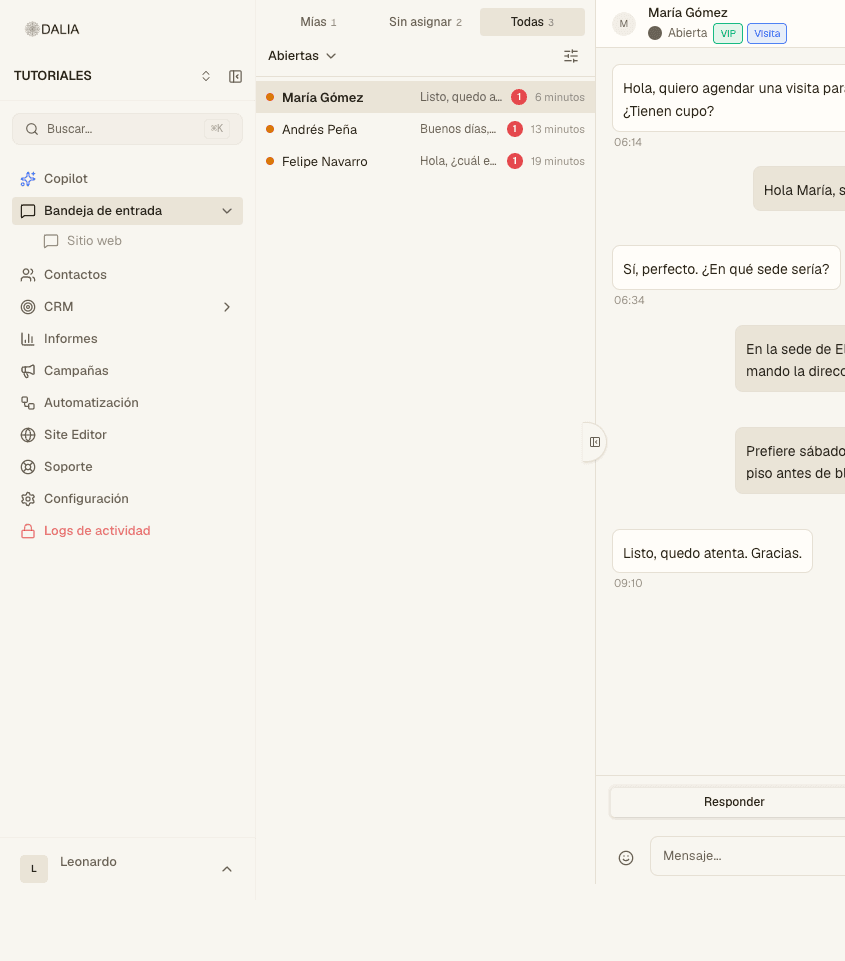
Tabs and status
Above the list:
- Mine — assigned to you.
- Unassigned — no owner.
- All — every conversation you have access to.
The status menu (Open by default) changes which conversations those tabs show: Open, Resolved, Pending, Snoozed, All.
Filter conversations opens conditions: campaign, contact label, conversation label, priority, agent. Combine them if the queue is long.
Reply and private note
On desktop the box has two modes: Reply and Private note. Reply goes out to the customer. The note stays in the thread for the team only (different background). Use it for "already asked for ID" or "wants a visit on Thursday" before reassigning.
⌘ + Enter sends. The paperclip attaches. The emoji icon opens the picker. The microphone records a voice note. On a phone, File, Template and Catalog may be in an extra menu.
Canned responses
Type / and pick a shortcut (/hola, /horario). They are created by whoever has permission in Settings → Canned responses. They don't replace a WhatsApp template outside the 24-hour window.
Template when the window has closed
WhatsApp only allows free-form messages if the customer has written in the last 24 hours. Otherwise, the message box won't do: use the template icon, choose an approved one, fill in the variables and send. To learn how to create templates, see WhatsApp templates.
Right panel
Three tabs, if CRM is enabled for you:
- Conversation — assigned agent, team, priority (None, Low, Medium, High, Urgent), Assign to me, labels and attributes of that conversation.
- Contact — the person's labels and attributes, Salesforce if linked, campaigns they received.
- CRM — that person's leads and opportunities, or Create lead if there are none.
At the top of the panel: phone (copy), email and View full contact, which opens the record in Contacts.
Resolve, reopen, snooze
Resolve takes the chat out of Open. If the customer writes again, it usually reopens according to the account's rules. Reopen puts it back in the queue. Snooze asks until when; in the meantime it stays out of your way in Open.
Several lines
If there is more than one inbox, the menu shows each name. Open one to see only that line, or All to see them together. An agent may have access to only some; in that case they won't see All.
Next: the contact record.